On 16 July 2025, GitHub announced it was deleting the command palette. The stated reason was low usage. Users were told to plan for the change; the feature would be gone by 6 August.
It didn't survive the week. The discussion thread filled with developers explaining that the palette was how they navigated the entire site, and within days GitHub paused the removal, a staff member conceding that the feedback "highlighted how integral this feature is to many developers' workflows."
One comment in that thread is the whole story. A developer posting as jsonbailey: I just found out about this feature a few weeks ago and I use it all the time now. I wish I would have known it existed sooner.
The palette had shipped in October 2021 behind Feature Preview — a settings dialog you have to know exists to open — and three and a half years later it was still off by default for anyone who never went looking. So the usage number wasn't wrong. It was measuring how many people had found the switch.
A feature people route their working day through, that a dashboard read as dead. Both true at once. Shortcuts aren't underrated because they're marginal. They're underrated because of a structural blindness in how software gets prioritized.
Three ways a shortcut disappears
Shortcuts are invisible to the people who decide what gets built. Not undervalued. Invisible, in three compounding ways.
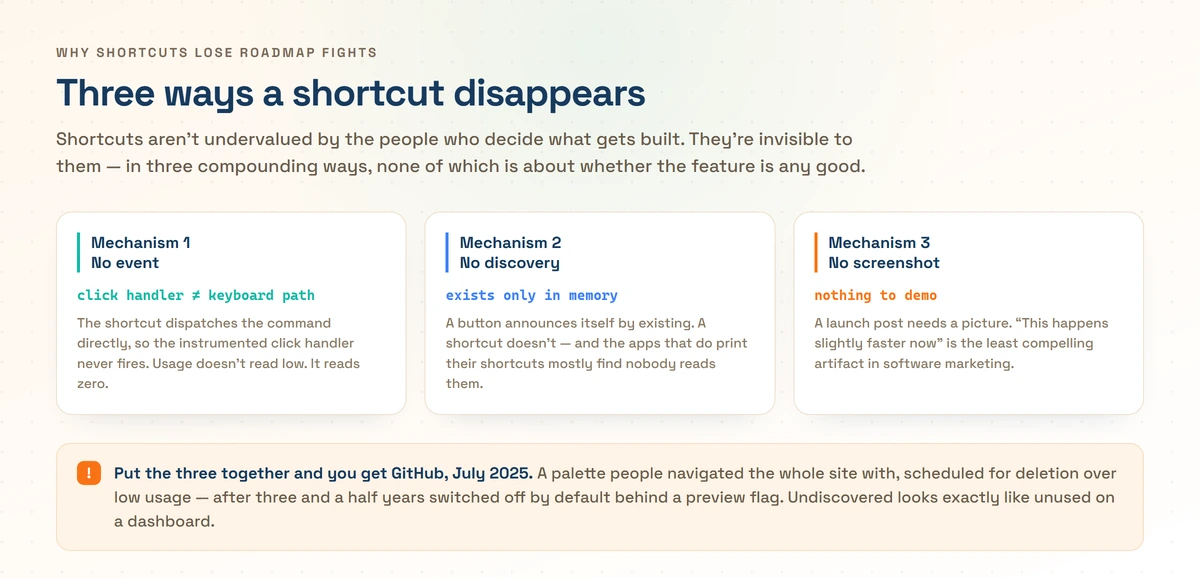
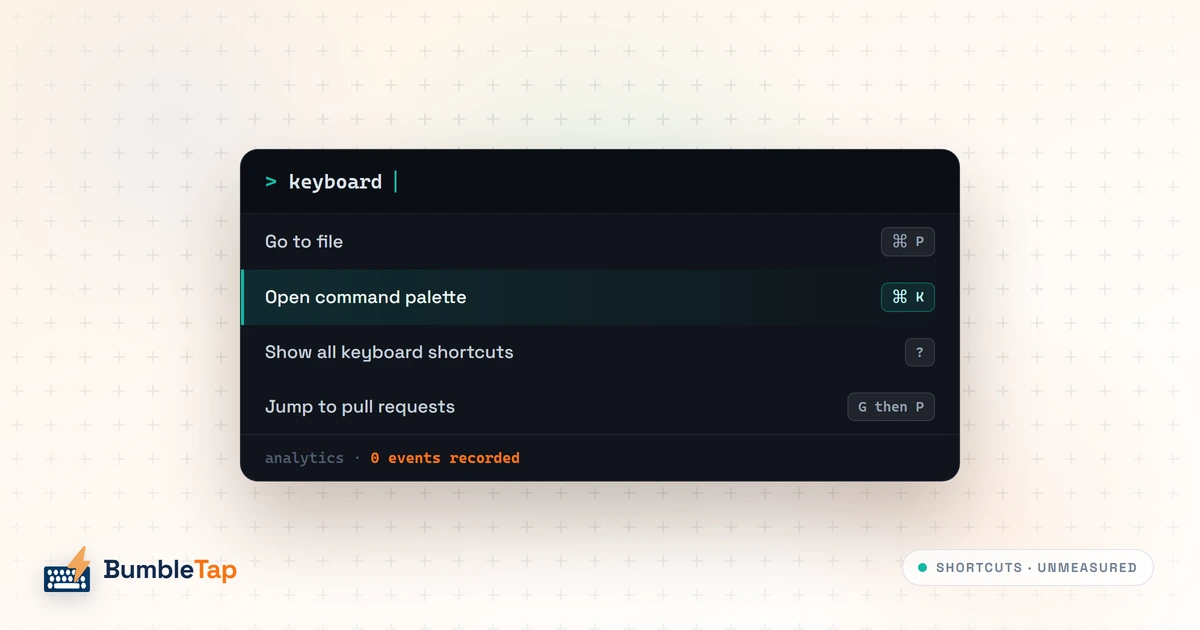
They emit no event anyone watches. It's a plumbing detail that decides roadmaps. If your analytics live on the button's click handler and your shortcut dispatches the underlying command directly, the keyboard path never touches the instrumented code. Usage doesn't look low. It looks like zero. And even where someone does instrument it, my guess is that shortcut usage is savagely bimodal: a small group who fire it fifty times a day, and everyone else at zero. I've never seen anyone publish that distribution, so treat it as inference. But average that population and you get a number that reads as "nobody uses this."
They have no discovery surface. A button announces itself by existing. A shortcut exists only in the space between memory and keyboard, and if the app doesn't teach it, it may as well not be there. And apps that do print their shortcuts mostly find nobody reads them, for reasons documented forty years ago.
They have no screenshot. This sounds petty and isn't. A launch post needs a picture; a demo needs something to point at. "We made this action available from the keyboard" produces a GIF of a thing happening slightly faster, which is the least compelling artifact in software marketing.
You've sat in this meeting, or one shaped like it. There's a list, and the list has to get shorter. One item has a mockup. Another has a video. Somewhere below the fold is a line about keyboard access for the thing people do forty times a day, and it has no mockup, because a mockup of it is a screenshot of the app you already shipped.
The keyboard item never gets argued down. Nobody stands up and says shortcuts don't matter. Everyone agrees they'd be nice. It just loses the tiebreak, and it loses the same tiebreak next quarter, and a thing that loses every tiebreak is a thing you've decided not to build without anyone ever deciding it.
The strongest argument against me is from 1989
I have to deal with Tog, because if he's right the rest of this post is sentiment.
Bruce Tognazzini was Apple employee #66, hired in 1978 as its first applications software engineer, and wrote the first edition of the Apple Human Interface Guidelines that same year. His claim, published in August 1989 and later reprinted as a chapter of Tog on Interface, is cited in approximately every keyboard-versus-mouse argument since. Apple had spent "a cool $50 million of R & D on the Apple Human Interface" and found two things. Test subjects consistently reported that keyboarding was faster than mousing. The stopwatch consistently proved mousing was faster.
The citations strip off what else is in that article: "By using Command X, C, and V, the user can select with one hand and act with the other. Two-handed input can result in solid productivity gains." Tog never claimed the mouse always wins; the version of him that gets cited does.
His explanation for the contradiction is the clever part. "It takes two seconds to decide upon which special-function key to press," he wrote. "Deciding among abstract symbols is a high-level cognitive function." During that high-level cognitive work you experience a kind of amnesia: the time-slice spent making the decision simply ceases to exist. You feel like you went straight from intent to action. You didn't.
Take it seriously; it fits a real model of pointing. Fitts's law, from Paul Fitts's 1954 paper, holds that movement time to a target is MT = a + b·log₂(2D/W): distance to the target over its width, on a log scale. The consequence: pointing has a bounded, predictable cost. Big target, short distance, and you're there in a few hundred milliseconds with no memory lookup at all. Recall has no such ceiling. If the shortcut isn't automatic yet, the mouse wins and it isn't close.
Now the part that doesn't survive scrutiny. The 1989 column gives no methodology. The one task Tog ever described — restoring every "e" in a paragraph where each one had been replaced with a vertical bar — reports averages of 99.43 seconds by cursor keys against 50.22 by mouse, with no subject count, no paragraph length, and no count of the substitutions.
Dan Luu went and timed the tasks himself and got mixed results: search-and-replace ran 1.26 seconds by keyboard against 5.39 by mouse, selecting text ran 0.7 seconds by mouse against 1.8 by keyboard, and scrolling four pages was near enough a tie. He's scrupulous about what it's worth: one person on an unfamiliar mouse, in TextEdit rather than his usual emacs, acceleration left on, screen recording lagging the machine — all of which, he notes, biases against the mouse.
So the honest answer is it depends on the task, which is unglamorous and correct. I'll concede more than that, because the concession makes the argument stronger.
Concede the milliseconds; they were never the point
Assume Tog was right on the stopwatch. Assume every shortcut you know saves you exactly zero seconds. The case barely moves, because time-to-target was never the mechanism that matters.
Pointing is not one action. It's a visual search followed by an aimed movement, and Fitts's law only models the second half. You can't aim at a target you haven't located, and locating it means your eyes leave what you were doing and your attention goes with them. The sentence you were composing, the reason you opened this panel in the first place: that's all held in working memory, and working memory is where the tax gets paid.
A learned shortcut skips the search entirely. It's a motor program, fired from hands already on the keys, with no target acquisition and no attentional handoff. That's the asymmetry, and it's a difference in kind, not in milliseconds.
This inverts Tog's finding rather than denying it. He's describing the cost of recall, which is real, and which is exactly the cost you pay while a shortcut is still being learned. Whether his stopwatch caught people mid-curve is what his write-up doesn't say, and it's what the conclusion rests on. The whole value sits on the far side of that curve, where there's no recall step left to measure because the sequence has gone automatic. Measuring a skill during acquisition and reporting the result as that skill's ceiling would be a methodological problem, not a finding.
My best example of that asymmetry is a shortcut I'd rather not defend. I bound Alt+U to open Claude's usage page, so I can see how much of my quota I've burned. I had to look at my hands to write that sentence, which is how I know it's automatic. It saves me nothing worth measuring — the page is two clicks away and I'm not short of time on the way there.
What it actually does is remove the friction from a compulsive check. The two clicks were a speed bump, and speed bumps are load-bearing. I've paved over one that was protecting me from myself. I still press it constantly. Not because it's faster, but because it doesn't interrupt whatever I was in the middle of — which is the same reason every shortcut I'd defend is worth having, applied here to something I'd struggle to defend at all.
Nobody graduates from novice, and it isn't their fault
In 1987, John Carroll and Mary Beth Rosson at IBM's User Interface Institute named the paradox of the active user. People won't stop to learn a faster method, even when the learning would pay for itself inside the same work session, and even when they've been told outright that it exists.
They name two mechanisms. Production bias: people are there to get work done, so time spent learning the tool is time not spent on the job, and it gets refused. Assimilation bias: people interpret anything new through what they already know, so a genuinely better method gets misread as a variant of the familiar one and discarded.
So shipping a shortcut and printing it in a menu isn't a discoverability strategy. It's a receipt. The person who needs it is deep in a task and will click the menu item, every time, forever, because clicking works and stopping to learn doesn't.
That loops back into the first mechanism, and the loop is the villain. People stick with what works, so measured usage is low. Low usage means low priority. Low priority means no investment in surfacing or teaching the shortcut. No teaching means fewer people find it, so measured usage stays low. The feature isn't underrated by accident. It's underrated by a feedback loop that manufactures its own evidence.
What the Cmd+K renaissance actually proved
The command palette broke that loop, and broke it in a way nobody planned.
The pattern came out of code editors. Sublime Text 2's public beta shipped one on Ctrl+Shift+P on 1 July 2011, for commands "hidden away in a menu." Visual Studio Code, announced in April 2015 and open-sourced that November, uses the same key. Then it escaped: Slack, Linear, GitHub, Superhuman, Vercel, Stripe, and by now roughly anything with a text field and ambition — though not always on Cmd+K, since Notion's is Cmd+P and Raycast's is Option+Space.
What made it work was never speed. Opening a palette, typing a few characters and picking a result is slower than a dedicated chord for the same action. The palette wins because it collapses the memory problem. You remember one shortcut instead of two hundred, and it shows you the rest with their bindings printed beside them, so it teaches at the exact moment you wanted that action, which is the only moment the active-user paradox permits any learning at all.
A palette also generates one clean analytics event. Single component, single entry point, instrumented like any other UI surface. The industry didn't rediscover keyboard control by winning a prioritization argument about efficiency. It rediscovered it by accidentally building a shortcut system that was visible to its own metrics.
GitHub's July is what happens when even that isn't enough.
The part most posts on this skip
Everything above treats shortcuts as an efficiency question for people who could use a mouse if they felt like it. For a lot of people that isn't the situation.
WCAG Success Criterion 2.1.1 Keyboard is Level A, the baseline conformance tier: "All functionality of the content is operable through a keyboard interface without requiring specific timings for individual keystrokes." The intent names who it's for: users with no vision, who can't use a device requiring eye-hand coordination; users of alternate input devices that emulate a keyboard, including speech input, sip-and-puff systems and switch scanning; users with low vision who struggle to track a pointer.
If the only path to an action in your product is a mouse gesture, you have failed a Level A criterion. Not a stretch goal. The floor.
The counterweight is SC 2.1.4 Character Key Shortcuts, also Level A, added in WCAG 2.1. If you implement a shortcut using only letters, punctuation, numbers or symbols, you must do at least one of: let people turn it off, let them remap it to include a non-printable key such as Ctrl or Alt, or make it active only while the relevant component has focus. That criterion exists because bare-letter shortcuts fire by accident for people with tremors, and because someone dictating a sentence into speech input can trip a dozen of them mid-word.
Read the two together and the spec is already ahead of the average roadmap. Meanwhile the planning meeting is still filing all of it under "power user nice-to-have."
I build a Chrome extension that adds keyboard shortcuts to sites that never shipped them, which is an unsubtle statement of where I land. It also makes me a case study in my own argument, because I don't run telemetry on it. I can see how many people installed it. I can't tell you which keys they bound, which ones they pressed twice and abandoned, or whether the thing I spent a week building gets touched at all.
So the first mechanism isn't something I noticed in other people's roadmaps. It's the condition I ship in. If I ever kill a feature in that extension for lack of use, I'll have exactly the evidence GitHub had, which is to say none — and I'd be making the same mistake with a smaller blast radius.
What good actually looks like
Five things, in rough order of how much they matter.
Print the shortcut where the action lives. Menu item, tooltip, next to the thing it does. Not a help page, not a settings screen, not a blog post. The only moment anyone absorbs a shortcut is the moment they're already reaching for that action, and a reference page is the one place nobody is at that moment.
Follow platform conventions before inventing anything. Cmd/Ctrl+K for the palette, / for search, ? for the shortcut list, Cmd/Ctrl+Enter to submit. Every convention you honor is a shortcut someone already knows and you didn't have to teach. Every one you break is a shortcut you now have to teach twice: once to install yours, once to suppress the reflex you violated.
Allow remapping, and let bare-letter bindings be turned off. This is SC 2.1.4, and it's also just correct. Your j and k will collide with someone's assistive tech, someone's non-QWERTY layout, or someone's muscle memory from a competitor. A shortcut you can't change is a shortcut some fraction of your users just endure.
Don't take keys the browser or OS already owns. Which keys the browser keeps for itself varies by browser and platform, but Ctrl+T, Ctrl+W and Ctrl+N generally never reach your page, while Ctrl+F and Ctrl+P usually do. Taking those is theft: you're overriding system-wide behavior someone has relied on since before your product existed. Web apps that hijack Ctrl+F for their own in-page search are the canonical offender, and they're wrong even when their search is better.
Instrument the keyboard path separately from the click path. If both routes dispatch the same command, tag the source. That's one field on one event, and it's the difference between knowing a feature is load-bearing and writing the removal announcement.
Where I'd bet against myself
The best argument against all of this: most users of most software aren't power users, and building for the top few percent at the expense of everyone else is a real failure mode with a body count behind it. The maintenance cost isn't trivial either. A shortcut system means owning focus management, conflict resolution, a remapping UI, per-platform key naming, non-QWERTY layouts where your carefully chosen chord lands under a dead key, and a guarantee that nothing fires while someone is typing in a field. That's a system, not a feature, and some teams genuinely shouldn't build it.
My answer is that the cost is front-loaded and the value compounds, and that the few percent isn't a random sample. It's the people who spend six hours a day in your product, write your integrations, and answer the "what should we use for this" question inside their companies. But I'd rather state the tradeoff than pretend it isn't one. If you have three engineers and no design system, "add Cmd+K" is not free.
The thing to take from GitHub's July isn't that telemetry lies. It's that the palette only got a pause — not a promise — because it had already been built, with users available to be outraged on its behalf. Every shortcut that lost its prioritization meeting five years ago has no such constituency, because you can't miss a keystroke you never learned you were owed. That's why this stays underrated, permanently, in every product that hasn't deliberately decided otherwise.
If you want the practical version of the argument, I wrote up how to bind a key to any button on any website separately. This post is why I bothered.
Frequently asked questions
- Are keyboard shortcuts actually faster than using a mouse?
- It depends on the task, which is the honest answer nobody likes. Bruce Tognazzini's widely cited claim from Apple was that the stopwatch consistently favors the mouse — though the same article credits two-handed Command X/C/V with "solid productivity gains" — and the underlying studies were never published. Independent timings show mixed results: text selection is often faster with a mouse, while a search-and-replace or a repeated command is dramatically faster from the keyboard. The bigger effect isn't the milliseconds anyway. Pointing requires you to look, and looking costs you whatever you were holding in your head.
- Why do so many apps ship without keyboard shortcuts?
- Because shortcuts are invisible to the process that decides what gets built. They usually generate no analytics event anyone watches (the keyboard path often bypasses the instrumented click handler entirely), they're undiscoverable unless the app deliberately teaches them, and they produce no screenshot for a launch post. A feature with no usage data, no demo, and no visible surface loses every prioritization meeting to one that has all three.
- What is the paradox of the active user?
- A finding from John Carroll and Mary Beth Rosson at IBM in 1987: people won't stop to learn a faster way of doing something, even when learning it would pay for itself within the same session. They're there to get work done, not to study the tool. It's why a shortcut printed next to a menu item still doesn't get learned, and why "we documented it" is not a discoverability strategy.
- Why did every app suddenly add a Cmd+K command palette?
- Because the palette solves discoverability, not speed. The pattern came out of code editors — Sublime Text 2's public beta shipped one on 1 July 2011, and VS Code, announced in April 2015, uses the same key — and it spread to Slack, Linear, GitHub, Stripe and others, though not always on Cmd+K. You memorize one shortcut instead of two hundred, and the palette lists the rest with their key bindings printed beside them, so it teaches while you use it. As a side effect it also produces a single clean analytics event, which is more than most shortcut systems manage.
- Do keyboard shortcuts matter for accessibility?
- They're the access path, not a convenience. Screen reader users, people using switch access or sip-and-puff devices, and speech input users all drive the interface through a keyboard interface. WCAG 2.1.1 (Level A) requires every function to be operable that way. The flip side is WCAG 2.1.4, also Level A: if you bind a bare letter, you must let people turn it off, remap it to include a modifier, or scope it to a focused component, because single keys fire accidentally for people with tremors and for anyone using speech input.
- What makes a keyboard shortcut well designed?
- Print it where the action lives, so the menu item or tooltip teaches the shortcut at the exact moment someone wants that action. Follow platform conventions instead of inventing your own. Let people remap it and turn off bare-letter bindings. Don't take keys the browser or OS already owns. And instrument the keyboard path separately from the click path, or you'll end up deleting a feature your best users depend on because your dashboard says nobody touches it.